Trace the retry
Follow the files around invoice-retry.ts.
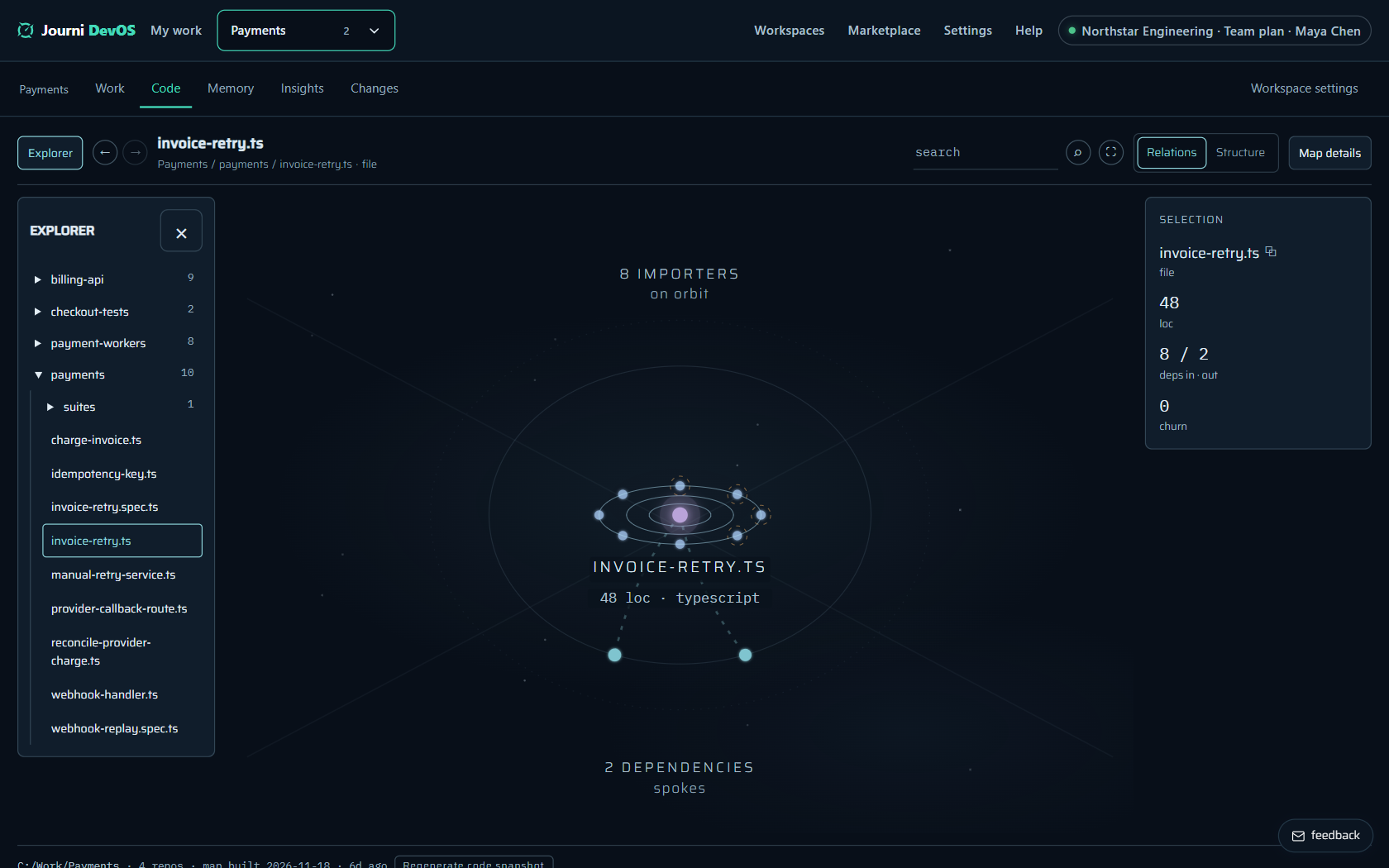
The code explorer shows the retry implementation, its dependencies, and the files that call it. Maya uses the map to include the webhook path and retry test in the scope.
Code navigation
Trace symbols, callers and dependencies on a connected developer machine. See which files a change could affect before you decide what to edit or test.
See how it worksFollow the relevant code paths and use what you find to narrow the task and plan its checks.
Trace the retry
The code explorer shows the retry implementation, its dependencies, and the files that call it. Maya uses the map to include the webhook path and retry test in the scope.
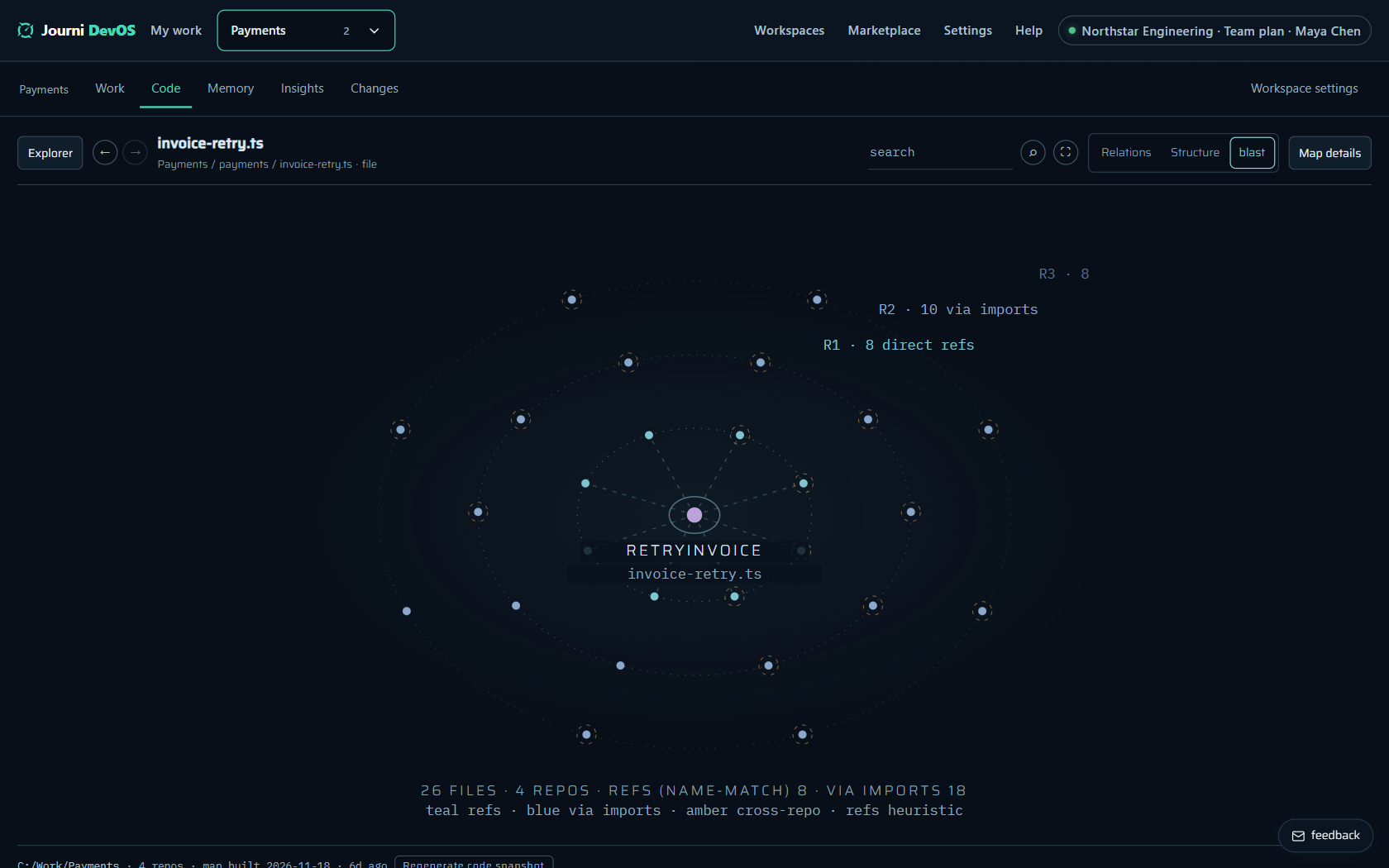
Inspect the spread
One change to retryInvoice could affect 26 files across four repositories. Maya uses the inner ring to find direct references, including retry jobs and the billing API. The outer rings trace import chains into queues, scheduled jobs and end-to-end tests, so she can tell the agent which paths to verify.
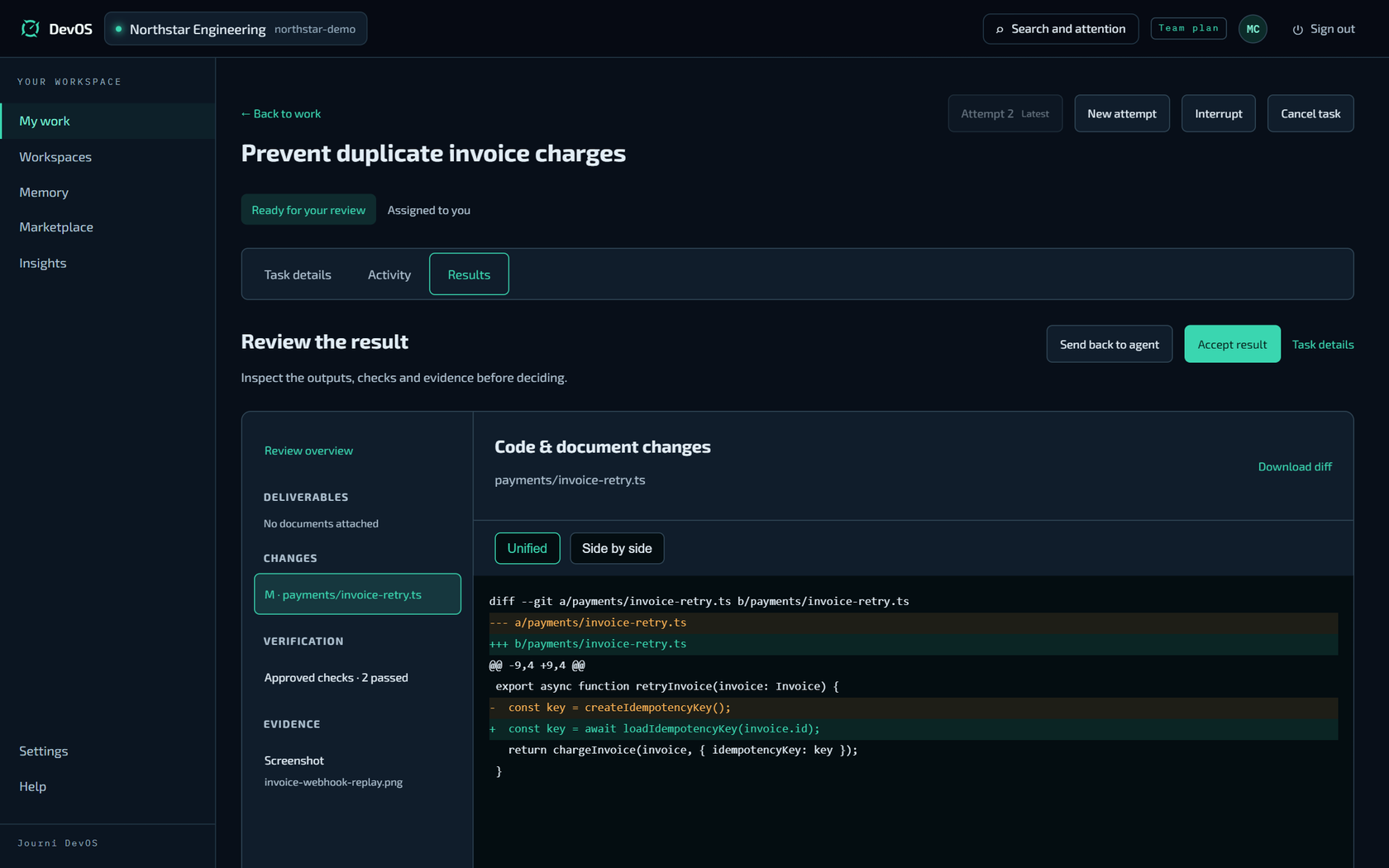
Check the change
The reviewer checks the saved diff in invoice-retry.ts and opens the idempotency and webhook results to see whether the change holds across the paths Maya identified.
We use cookies
Analytics cookies help us understand how the site is used so we can make it better. They only run if you accept — it's your choice, and you can change it anytime. See our privacy & cookie policy.