Connect a coding client
See what’s available on your machine.
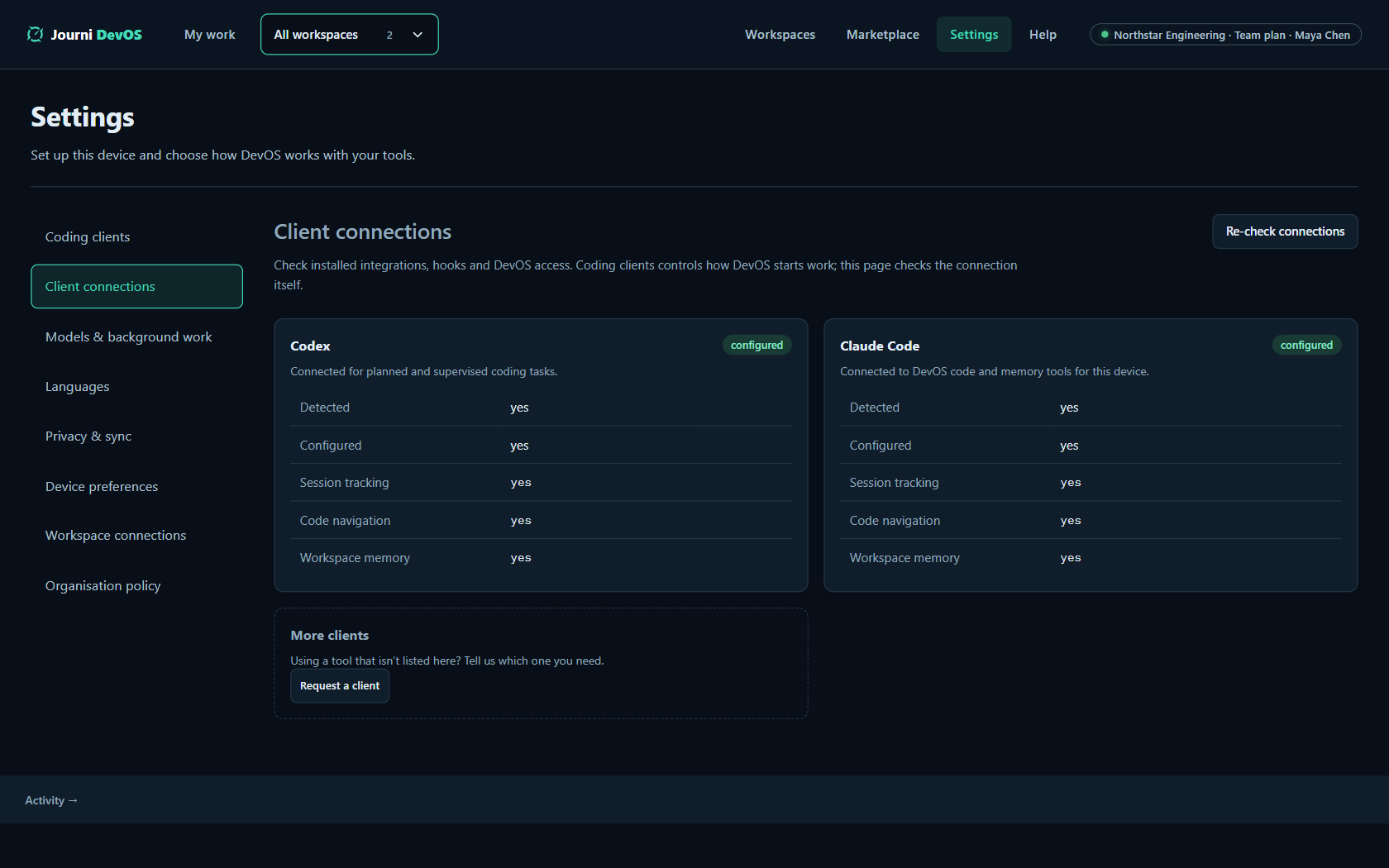
Open Client connections to see what’s configured and which capabilities are available on your workstation. Here, Maya has Codex and Claude Code connected.
Agent tools
Every file an agent opens and every log it rereads costs time and tokens. DevOS brings it the relevant code, team decisions and check results. Works with Codex, Claude Code, GitHub Copilot and Piebald.
See how it worksConnect your coding client on a developer machine and see how it uses DevOS tools to investigate and verify a change.
Connect a coding client
Open Client connections to see what’s configured and which capabilities are available on your workstation. Here, Maya has Codex and Claude Code connected.
Compare tool traces
Follow how an agent finds the retry code, checks the team’s rule and verifies the fix.
Search for “retry” and open the matching Payments files to find the entry points.
Search runbooks and decision records for how to handle a lost provider response.
Run the checks and sift through the full output for the retry and replay results.
findaboutFind retryInvoice and trace its callers to the webhook handler and retry jobs.
recallPull up the Payments decision to reuse the original idempotency key and see its source.
runSee the relevant results immediately. Twelve retry tests passed. Webhook replay left one charge.
Apply the tools
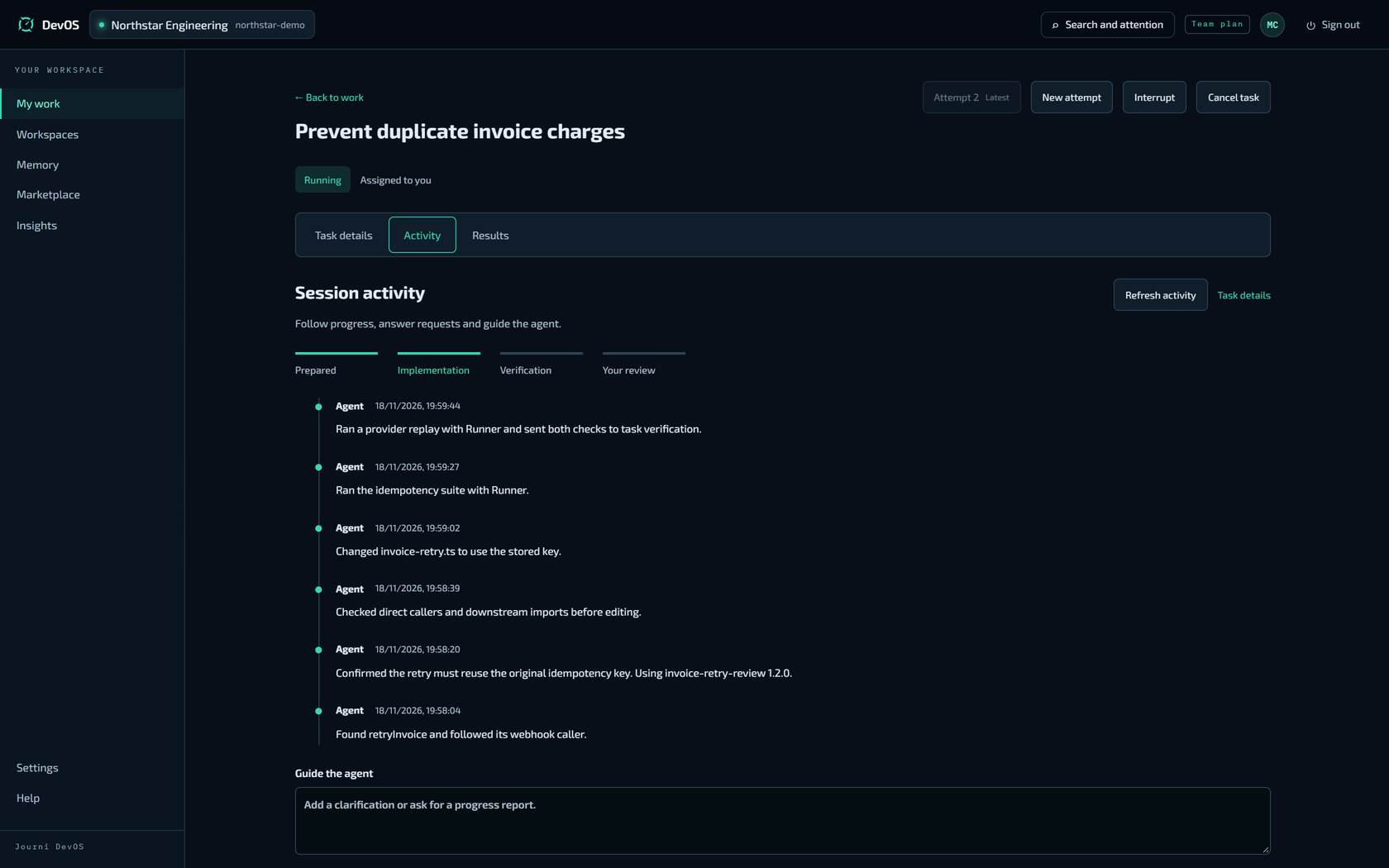
The agent uses the retry implementation and the saved idempotency decision to focus the investigation. The team sees the working notes in DevOS as the agent moves on to the checks.
We use cookies
Analytics cookies help us understand how the site is used so we can make it better. They only run if you accept — it's your choice, and you can change it anytime. See our privacy & cookie policy.