A monthly bill tells you how much you spent. DevOS helps you see which workspaces drove the cost, where you may have saved and what needs a closer look.
Find where spend is rising and check whether your team is shipping faster without more changes failing.
Read the statement
Start with measured model spend.
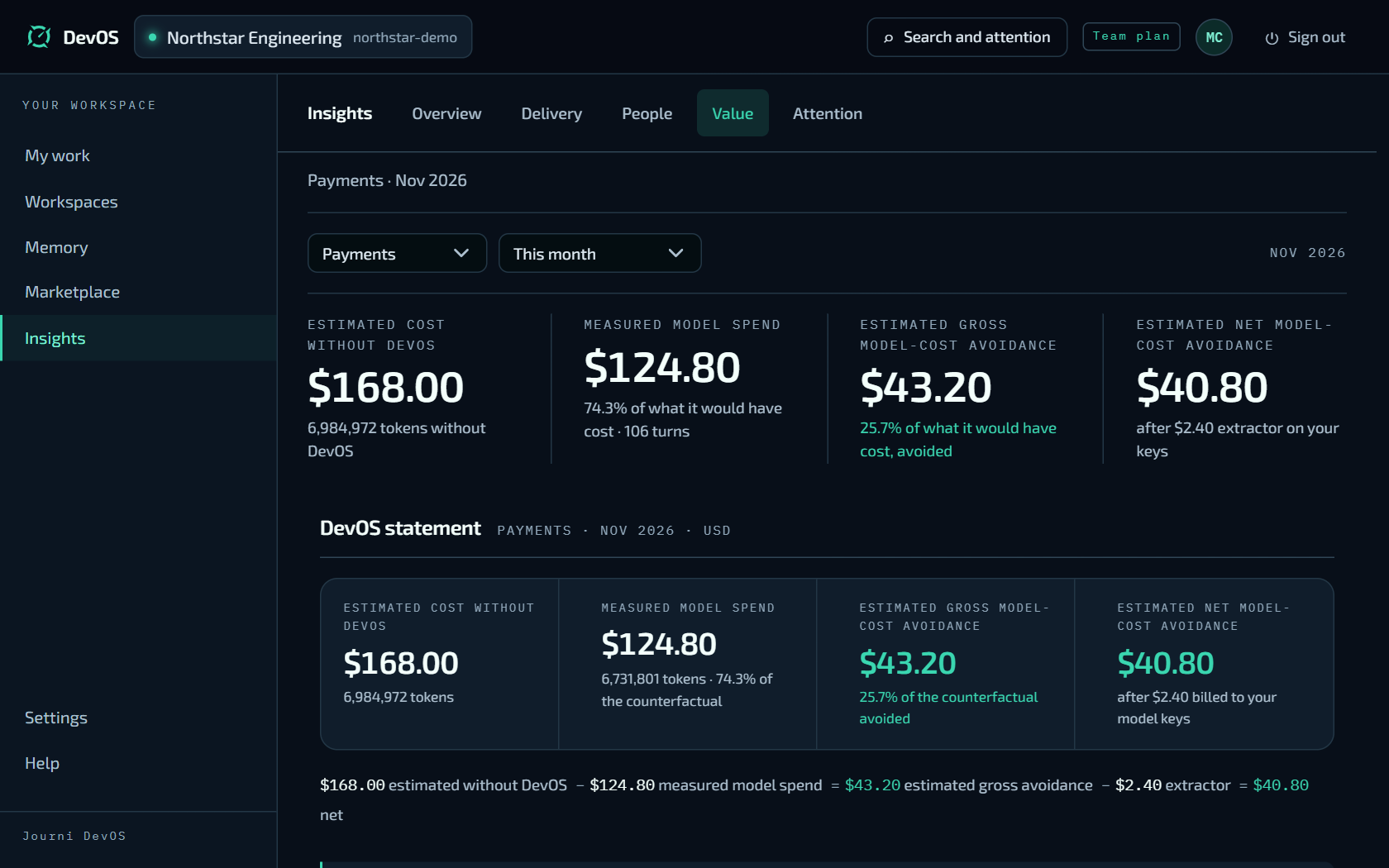
In the November demo, Payments spent $124.80 on models. DevOS compares that with an estimated $168 for the same recorded activity without its optimisation. The $43.20 difference is estimated model-cost avoidance.
Compare the Payments team’s measured spend with what the same work was estimated to cost without optimisation. See what’s left after extraction costs.
Payments · November model spendDemo data
Estimated without optimisation
$168.00
Measured with DevOS
$124.80
Estimated net cost avoided$40.80
$43.20 estimated gross avoidance less $2.40 in extraction costs.
Check delivery outcomes
Are faster changes holding up?
The Payments lead compares how long changes took to ship with how often they failed after release, grouped by whether AI activity was recorded.
Payments · Delivery outcomesDemo data
Changes shipped
AI-assisted
20
No AI recorded
16
Median lead time
AI-assisted
18h
No AI recorded
25h
Change failure rate
AI-assisted
5%
No AI recorded
6.25%
Failures: 1 of 20 AI-assisted · 1 of 16 with no AI recorded
Follow up on outliers
Find which activity is worth a closer look.
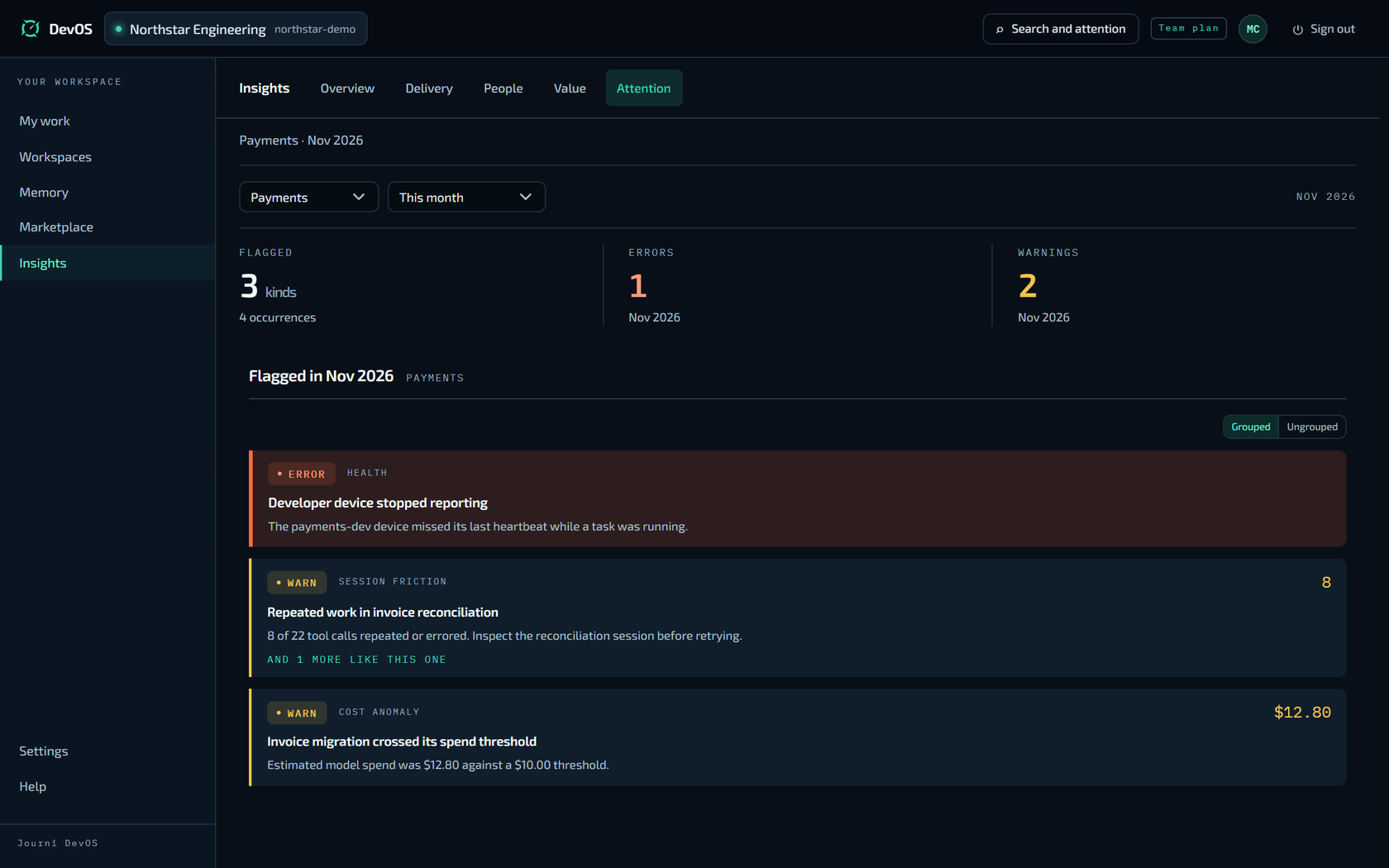
The lead uses Payments Insights to investigate a separate invoice migration that crossed its spend threshold. That provides a session to investigate alongside the workspace totals.
Spend threshold alert in Payments InsightsDemo data
Analytics cookies help us understand how the site is used so we can make it better. They only run if you accept — it's your choice, and you can change it anytime. See our privacy & cookie policy.