Follow task activity
See what the agent is doing now.
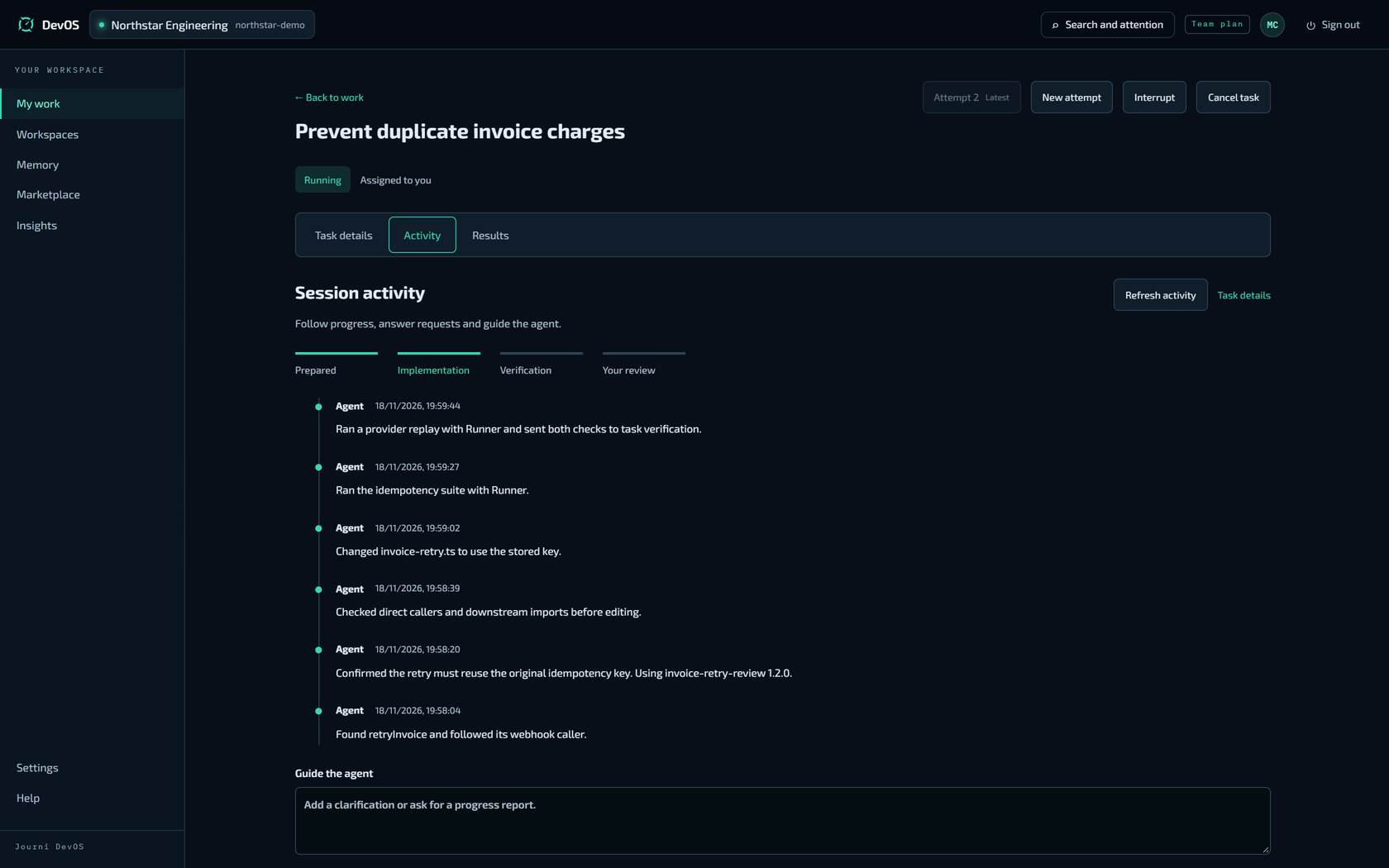
On the Payments task for GitHub issue #284, the activity log follows the agent from its first look at the retry code through the patch, the idempotency tests and the webhook replay.
Observability and delivery
A task can look busy while an agent repeats the same work or a developer device goes offline. DevOS shows where work is slowing down and lets you trace the activity behind it.
See how it worksStart with the task’s progress, inspect the session behind it and use Insights to see what needs attention across the workspace.
Follow task activity
On the Payments task for GitHub issue #284, the activity log follows the agent from its first look at the retry code through the patch, the idempotency tests and the webhook replay.
Inspect session telemetry
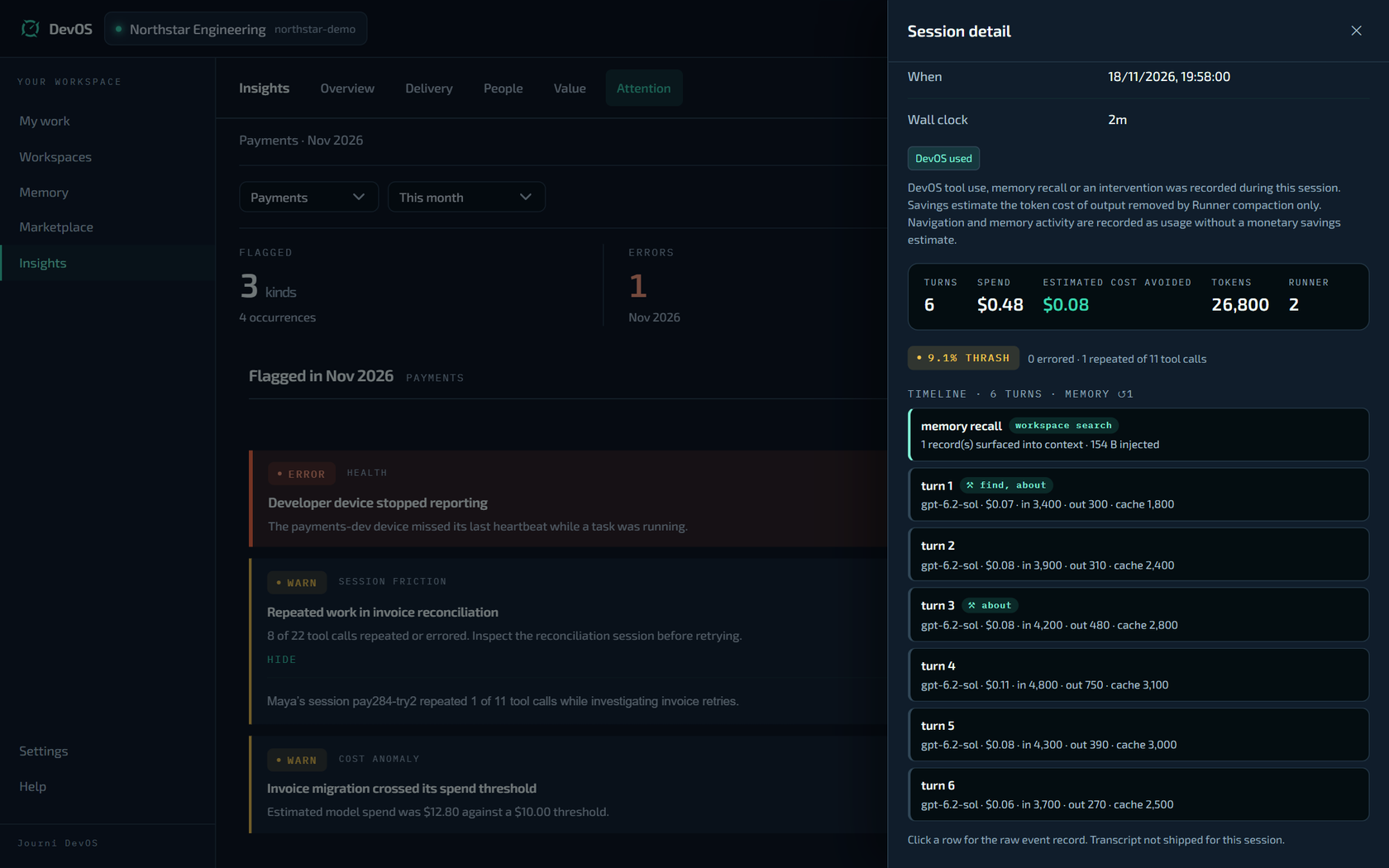
Open the Payments session to see what the agent used and where time and model spend went. The task keeps the results of the idempotency tests and webhook replay for reviewers.
Investigate exceptions
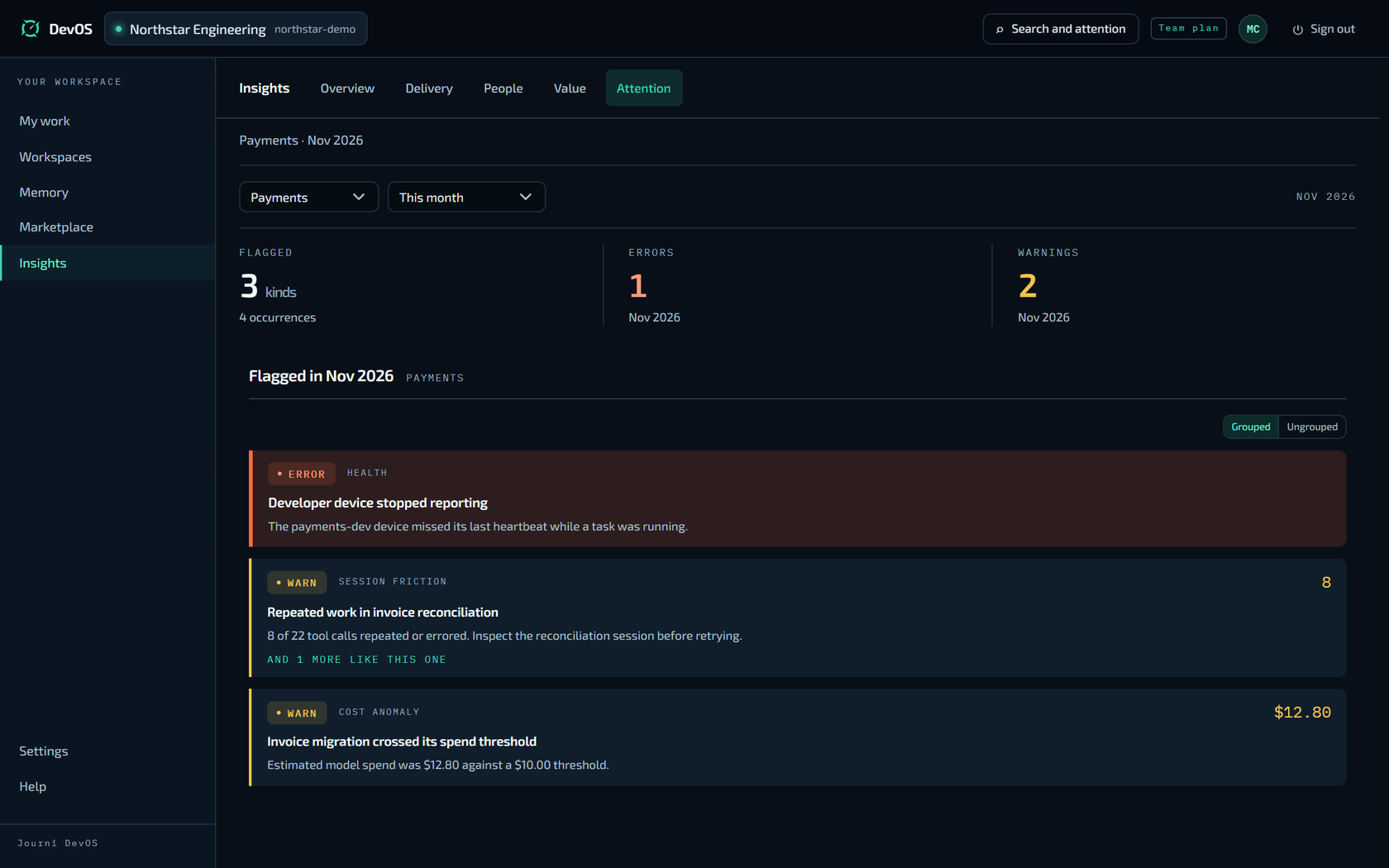
In the Attention tab, the Payments lead sees three kinds of alerts: a developer device that stopped reporting, repeated tool calls during invoice reconciliation, and a migration that crossed its spend threshold.
We use cookies
Analytics cookies help us understand how the site is used so we can make it better. They only run if you accept — it's your choice, and you can change it anytime. See our privacy & cookie policy.