Set model and provider rules
Decide what your teams can run.
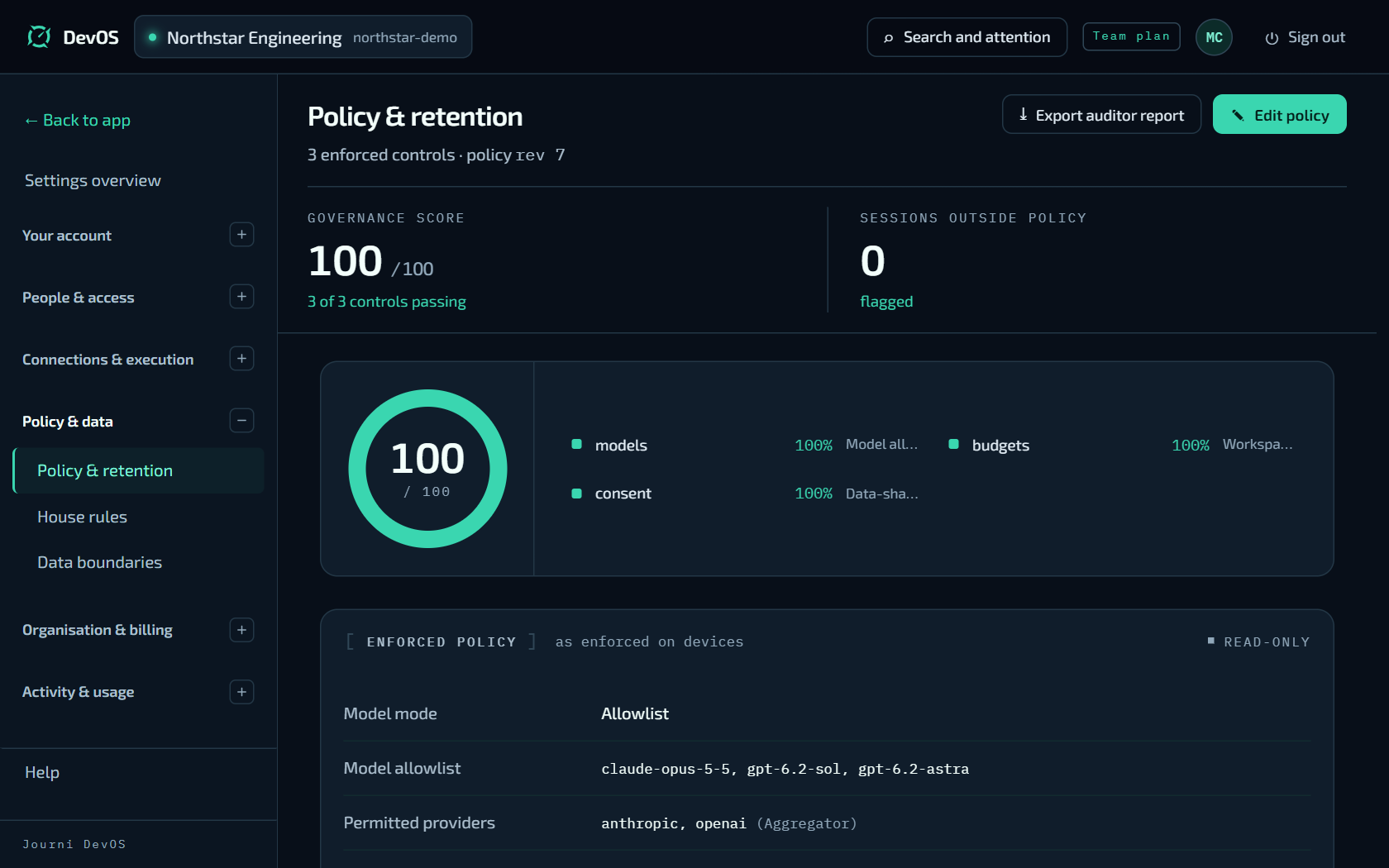
Allow or block specific models, choose approved providers and set rules for coding roles. Administrators can see the active policy revision and spot sessions that fall outside it.
Governance and audit
Choose which models and providers your teams can use, set spending limits across the organisation and see where agent sessions fall outside policy.
See how it worksSet organisation rules, adjust workspace budgets and check the permissions on an individual task.
Set model and provider rules
Allow or block specific models, choose approved providers and set rules for coding roles. Administrators can see the active policy revision and spot sessions that fall outside it.
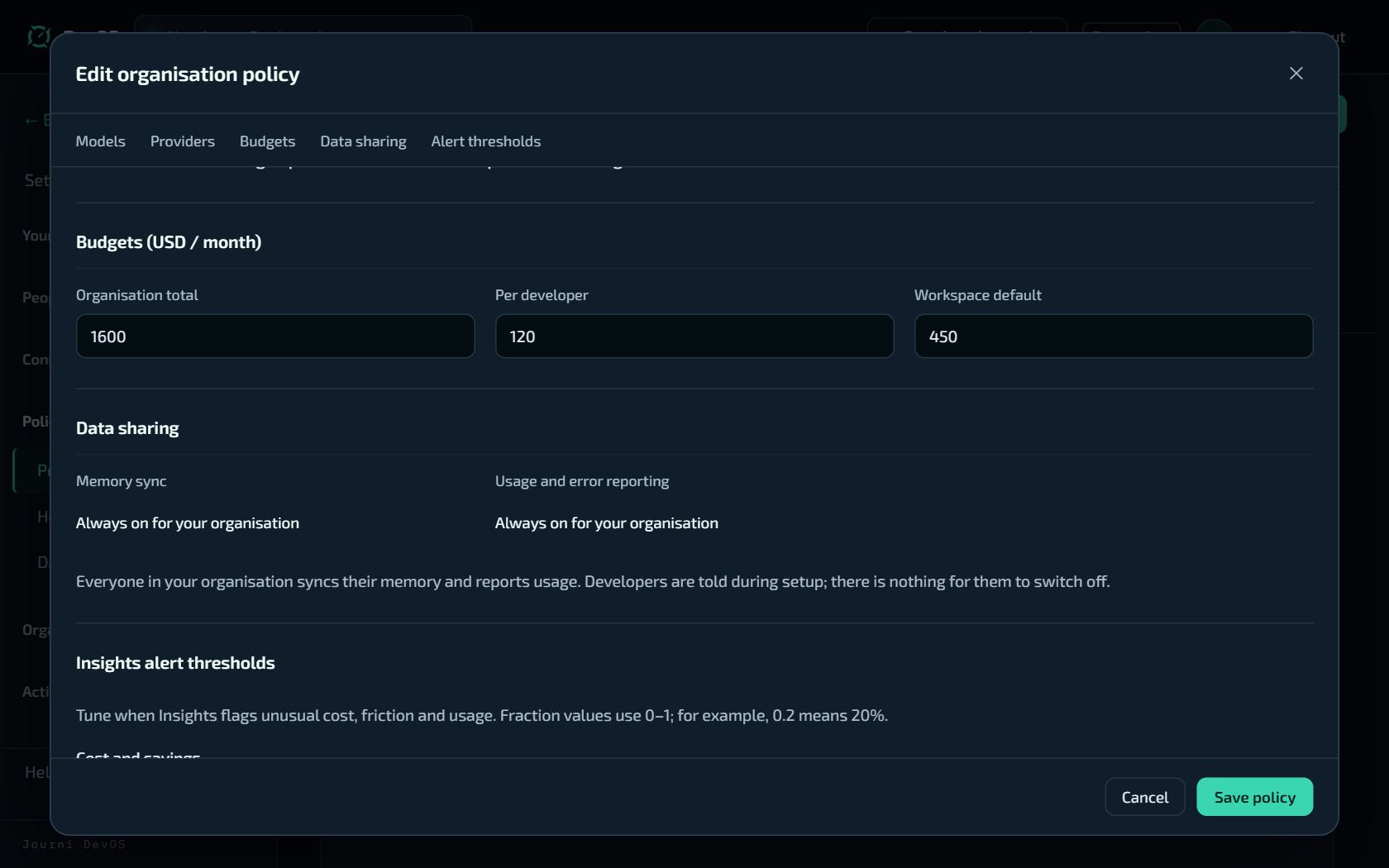
Set spending limits
Set a monthly budget for the organisation, a per-developer limit and a workspace default. An individual workspace can have a different limit. Model and budget enforcement varies by client and provider routing.
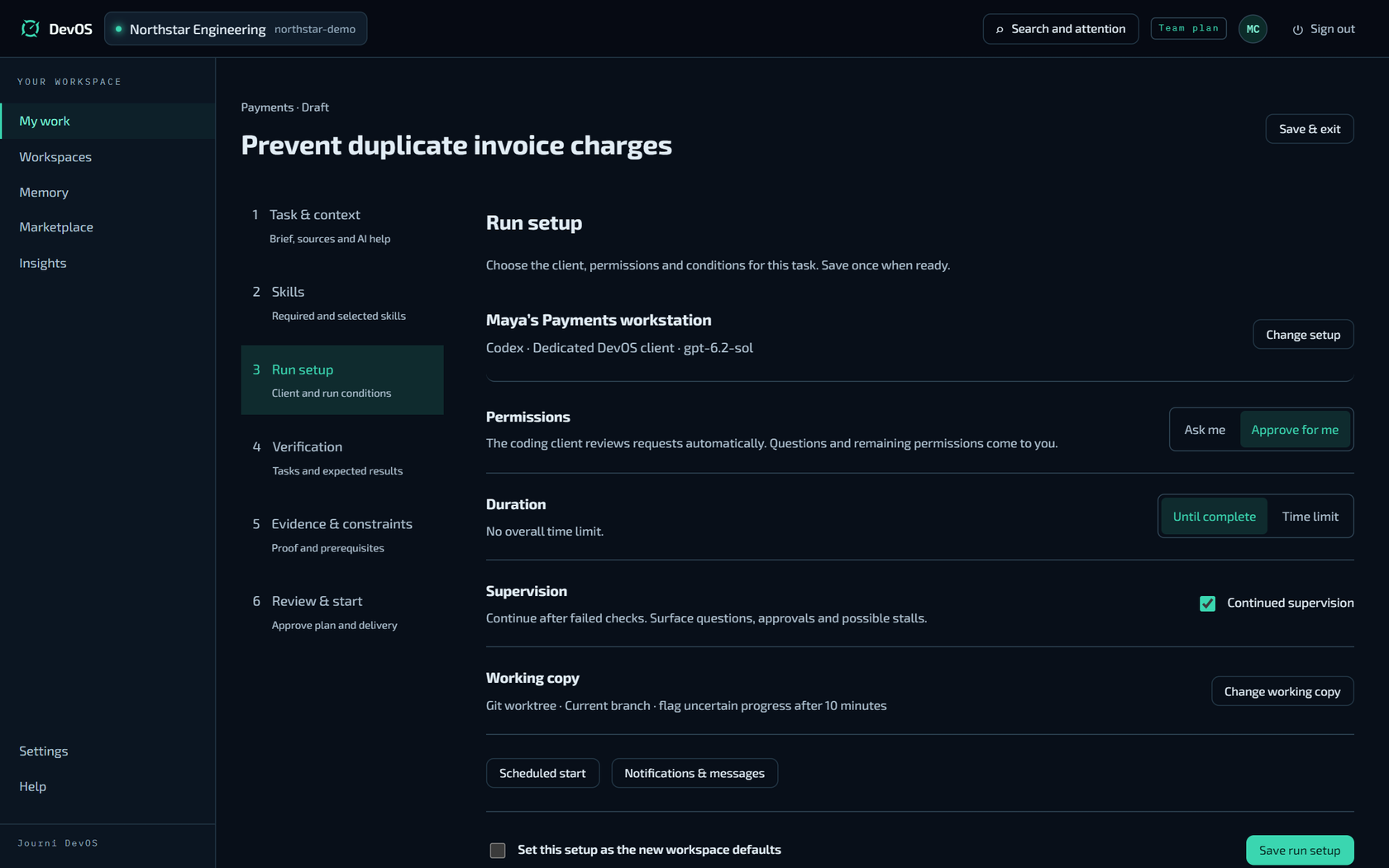
Check the setup
Check which client, model and device will run the task. Maya selects Approve for me so the client can review requests automatically and bring any remaining permissions or questions to her.
We use cookies
Analytics cookies help us understand how the site is used so we can make it better. They only run if you accept — it's your choice, and you can change it anytime. See our privacy & cookie policy.